How to Effectively Use Link Groups and Hubs
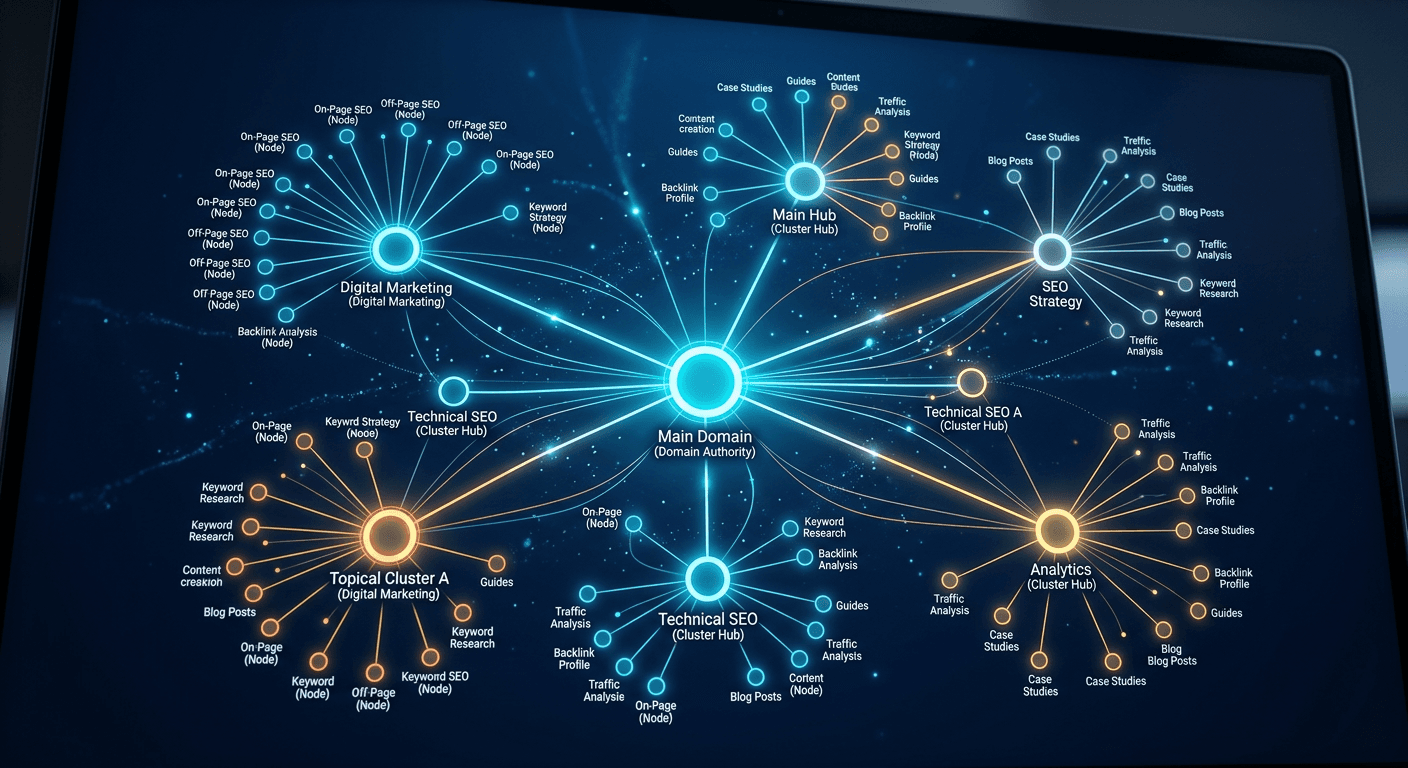
Building a robust internal linking architecture is a foundational task for any site manager or SEO specialist. By organizing your assets into a logical link group, you create a semantic hierarchy that helps search engines understand the topical relevance of your content. Whether you are managing a single domain or an interconnected web of portals, effective navigation strategies ensure that authority flows predictably and efficiently through your site structure.
Quick Summary {#quick-summary}
An internal link group is a strategic collection of related pages interconnected to distribute authority and improve topical authority. By utilizing structured hubs, you help search engines index your content more effectively while guiding users to relevant resources. Effective linking transforms isolated posts into a cohesive, authoritative knowledge base.
- Group related content to improve topical relevance signals.
- Use hub pages as central connection points for sub-topics.
- Prioritize clear, descriptive anchor text for all internal links.
- Audit your structure to eliminate orphan pages and broken paths.
Table of Contents {#table-of-contents}
- Quick Summary
- Structuring Your Link Groups
- Building Effective Hub Pages
- Optimizing the Link Plural and Anchor Text
- Managing Link Fenster and Entry Points
- Common Pitfalls and Troubleshooting
- FAQ
- Recommended Reads

Structuring Your Link Groups {#structuring-your-link-groups}
A link group is essentially a thematic cluster of pages that address specific facets of a broader topic. To begin, you must define the semantic relationship between your content pieces. Instead of relying on chronological archives, organize your site by topical siloing, where each cluster focuses on a core keyword or user intent. This method ensures that Google perceives your site as an authority on specific subjects rather than just a collection of disconnected articles.
When creating these groups, maintain consistency in your URL structure and internal tagging. Every page within a link group should link back to a central pillar page or 'hub' and to other relevant supporting articles. By using tools like https://kodelink.eu.com to visualize your site's connectivity, you can identify weak points in your architecture and reinforce the topical paths that lead users through your content journey.
Building Effective Hub Pages {#building-effective-hub-pages}
The hub page acts as the engine room for your site's internal navigation. It is the primary node that bridges your various supporting articles. A well-constructed hub page should be comprehensive, offering clear summaries of the sub-topics housed within its respective link group while providing direct navigation to detailed deep-dives.
Design your hubs to prioritize readability and user utility. Avoid cluttering the page with excessive boilerplate; instead, focus on providing a curated roadmap that satisfies the user's search intent. When your hubs are properly optimized, they act as the highest-level 'link link' entity, signaling to crawlers that these pages hold the most importance within your domain's hierarchy.
Optimizing the Link Plural and Anchor Text {#optimizing-the-link-plural-and-anchor-text}
Anchor text optimization is a delicate balance. When you manage a link plural-meaning multiple links pointing to the same resource-you must ensure that the variation in anchor text is natural and contextually appropriate. Avoid over-optimizing with exact-match keywords, which can trigger spam filters; instead, use descriptive phrases that reflect what the destination page offers.
Ensure that your links are providing value to the reader. A link should never be arbitrary; it should serve as a logical extension of the current topic. By diversifying your anchor text while keeping it strictly relevant, you build a natural link profile that helps search engines parse the context of every 'e link entry' within your content ecosystem.
Managing Link Fenster and Entry Points {#managing-link-fenster-and-entry-points}
Think of a 'link fenster' as a viewing window or an access point into your site's deeper content layers. These are your entry pages-often blog posts or landing pages-that funnel traffic into your deeper link groups. To optimize these, place your most critical internal links 'above the fold' or in areas of high engagement, such as the introduction or a sticky sidebar.
Your site's entry points are the first touchpoints for organic search traffic. By carefully auditing these paths via resources at https://kodelink.eu.com, you can ensure that users landing on an entry page have an immediate and logical next step to continue their engagement. If an entry point leads to a dead end, you lose the opportunity to increase session duration and decrease bounce rate.
Pro Tip: When auditing your link architecture, focus on the 'crawl depth.' Any important content should ideally be reachable within three clicks from your homepage to ensure it receives consistent link equity distribution.
Common Pitfalls and Troubleshooting {#common-pitfalls-and-troubleshooting}
One of the most common issues is the creation of 'orphan pages'—pages that exist but have no incoming internal links. These pages are invisible to Google's crawlers and offer zero value to your SEO efforts. Regularly check your site map to ensure every piece of content has a home within a defined link group.
Another pitfall is excessive linking. While internal links are vital, flooding a paragraph with dozens of links dilutes the authority passed to each page and degrades the user experience. Aim for quality over quantity; a few highly relevant, contextually placed links are always superior to a sea of blue text. If you find your navigation is confusing, simplify your hub structure and prune unnecessary links.
FAQ {#faq}
What is the ideal number of internal links per page? There is no fixed number, but 3-5 highly relevant links per 1,000 words is a good baseline. Prioritize user experience; if the links add value, they are beneficial.
How does a link group differ from a category? Categories are often broad organizational buckets, whereas link groups are focused clusters designed for thematic authority and semantic SEO.
What is an orphan page? An orphan page is a page that exists on your server but is not linked to by any other page on your site, making it difficult for crawlers to find.
How often should I review my internal linking structure? Conduct a full audit at least once every quarter, or whenever you perform a major site migration or publish a significant amount of new content.